GitHub Pull Request Integration
Overview
The SecAI SonarQube plugin includes GitHub integration that allows users to automatically create pull requests with the code fixes directly from the plugin interface. This feature is available in both the AIFix and Quick Fix components.
Setup and Configuration
GitHub Personal Access Token Setup
- Go to GitHub Settings → Developer settings → Personal access tokens → Tokens (classic)
- Click "Generate new token (classic)"
- Select the following scopes:
repo(Full control of private repositories)workflow(Update GitHub Action workflows)- Copy the generated token and add it to your SonarQube settings
SonarQube Settings
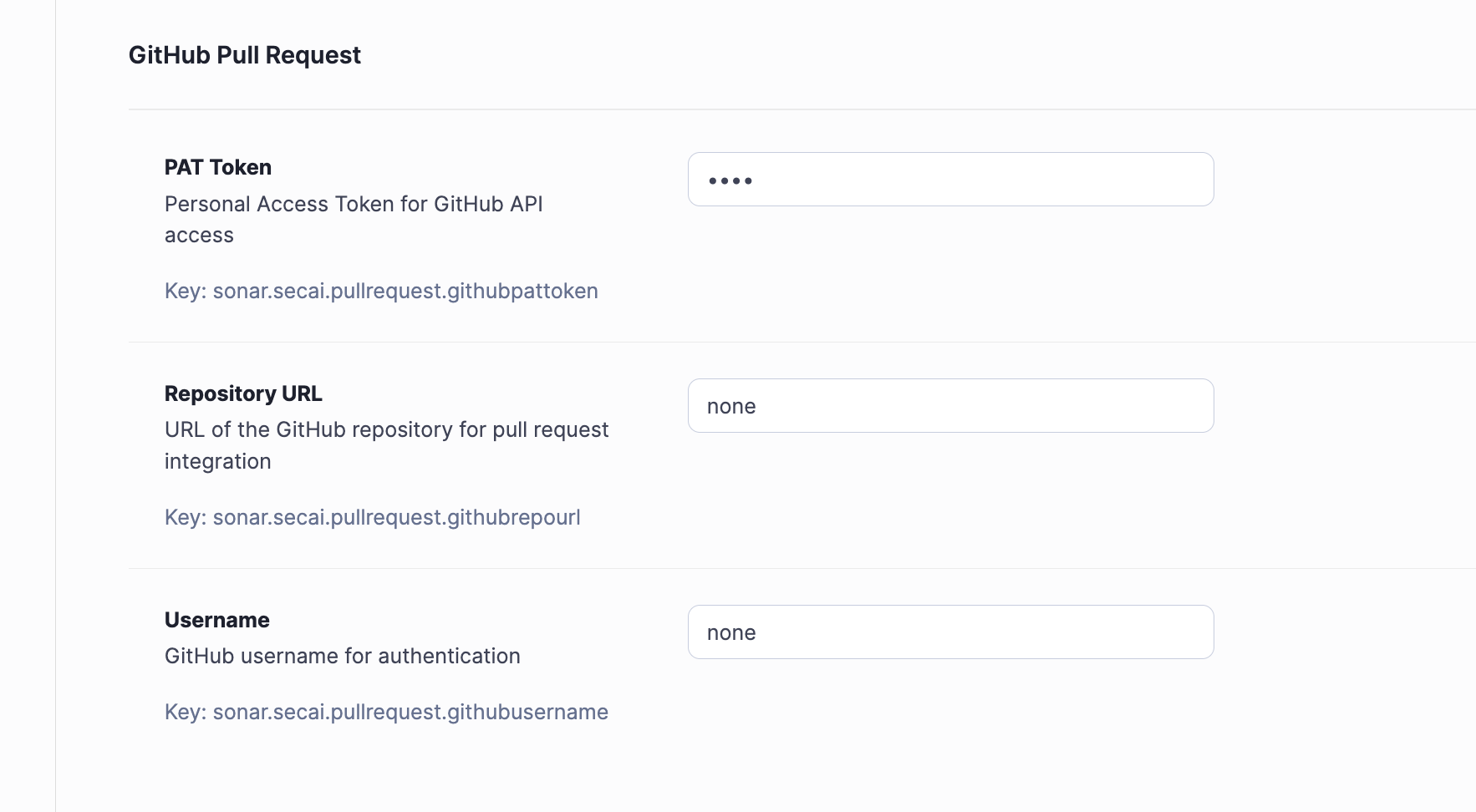
Configure the GitHub Pull Request settings in your SonarQube instance under your project Project Settings > General Settings > SecAI:
Note: In the current implementation the same GitHub configuration will be used project-wide for each pull request regardless of the executing SonarQube user. This means that all pull requests will be authored by the user specified in the settings.
Usage
Navigate to the AIFix or Quick Fix tab for a selected issue. For AIFix you must first generate a fix; for Quick Fix simply select one of the options. You can then at the bottom of the page select Create GitHub PR and a pull request will be created automatically.
Note: All previously described SonarQube settings must be set for the option to be selectable.
Security Considerations
- Token Security: Store GitHub tokens securely and never commit them to version control
- Permissions: Use tokens with minimal required permissions
- Repository Access: Ensure the token has access only to intended repositories
- Environment Isolation: Use different tokens for development and production environments
Common Issues
"GitHub token not configured"
Verify the githubpattoken setting is set correctly
"Repository not found"
Check githubusername and githubrepourl settings in SonarQube match your repository
"Insufficient permissions"
Ensure your GitHub token has repo scope permissions
Pull request creation fails
Verify the target branch exists and you have write access to the repository